A library is a collection of ready-made code that we can reuse instead of writing it ourselves. It might compute square roots, sort data, read a file format, draw a window or talk to a database. We call its functions from our program, and the work is done by code that someone else has already written, tested and optimised.
In C, a library comes in two parts: a header file that declares what the library offers, and the compiled code that does the work. We have already used one without noticing: printf() and scanf() come from the standard C library, which the compiler links automatically.
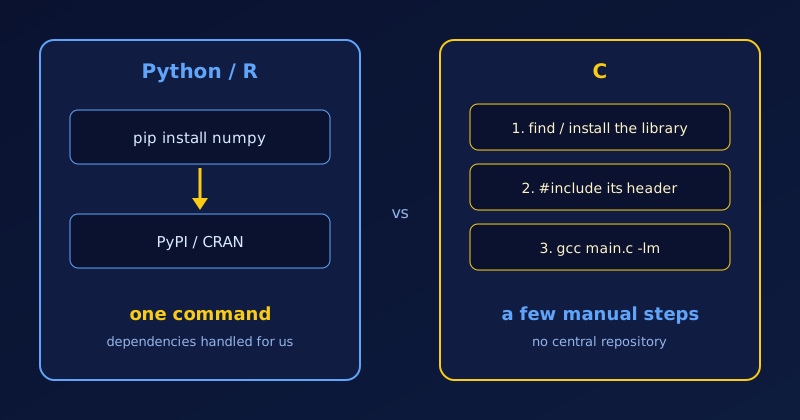
Getting hold of other libraries is where C differs from Python and R. In Python, pip install numpy is all it takes. In R, it is install.packages("ggplot2"). Both fetch a ready-made package from a central repository (PyPI or CRAN). C has no such thing. There are thousands of specialised C libraries, but instead of downloading a package that “just works”, we find the library, tell the compiler where its header is, and link it ourselves.
How the Ecosystems Differ
| Feature | Python and R | C |
|---|---|---|
| Package manager | Built in and central (pip, install.packages()) |
No official one. We use system managers (apt, brew) or newer tools such as vcpkg and Conan. |
| Typical focus | Data science, machine learning, web scripting, automation | Systems programming, embedded devices, operating-system kernels, graphics engines |
| Ease of integration | One command; dependencies resolved automatically | Compile from source or link binaries (-l flags) and set header paths |
What Using a Library Looks Like in C
Using a library takes two steps: #include its header so the compiler knows the function declarations, and link the compiled code so it ends up in the final program. The standard library is linked for us, but some libraries, such as the maths library, are not. Let’s try pow() from <math.h>:
#include <stdio.h>
#include <math.h>

int main(void)
{
    double x;
    printf("Enter a number: ");
    scanf("%lf", &x);
    printf("pow(%.1f, 0.5) = %.4f\n", x, pow(x, 0.5));
    return 0;
}
If we compile without the library, the link step fails:
$ gcc m.c -o m
/usr/bin/ld: /tmp/ccb1hHRk.o: in function `main':
m.c:(.text+0x60): undefined reference to `pow'
collect2: error: ld returned 1 exit status
Adding -lm (library m) fixes it:
$ gcc m.c -o m -lm
$ ./m
Enter a number: 16
pow(16.0, 0.5) = 4.0000
Third-party libraries follow the same pattern, usually with -I<dir> for headers and -L<dir> -l<name> for the library. Many also support pkg-config, which prints the right flags for us, for example gcc main.c $(pkg-config --cflags --libs sqlite3).
The Irony: C Powers Python and R
C has no single repository of easy-to-use libraries, yet many of the most powerful Python and R libraries are written in C or C++. NumPy, Pandas and TensorFlow present a Python interface, but they run their performance-critical computations in optimised C/C++ backends. When we use them, we are using C indirectly.
Popular C Libraries by Domain
When we do need a library in C, these are good places to start:
- Maths and science: GNU Scientific Library (GSL) for statistical algorithms; BLAS and LAPACK for high-performance linear algebra.
- Data and utilities: GLib provides data structures such as hash tables and linked lists, which the standard library lacks.
- Graphics and games: Raylib and SDL for rendering, windowing and games.
- Databases: SQLite for local data storage.
Before reaching for a third-party library, let’s check what the standard library and POSIX already provide. See POSIX Explained for what a POSIX system guarantees.