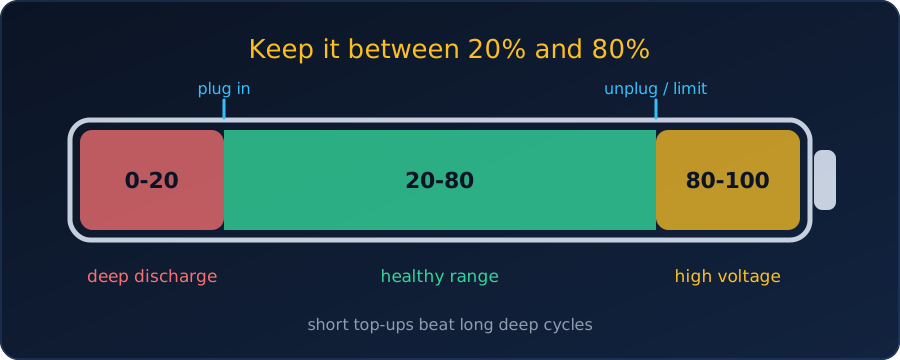
Modern laptops and phones use lithium-ion batteries, and they age according to how we charge them. The short version: keep the charge between roughly 20% and 80%, and avoid heat.
Should we charge at 20%?
Yes. Plugging in around 20% is a good habit. Letting the battery drain to 0% puts stress on the cells and wears them faster, so we should not wait until the laptop dies.
Why the 20–80% range works
- Avoid deep discharges. Running to empty is hard on the battery chemistry.
- Avoid sitting at 100%. A full battery is held at high voltage, which also speeds up wear, especially when it is warm.
- Longer life. Staying in the middle of the range is commonly reported to give many more charge cycles than going 0–100% every time. The exact numbers vary by battery, so treat any specific figure with caution.
Is it fine to charge at 40% or 60%?
Absolutely. Lithium-ion batteries are under the least stress near the middle of their range, and a top-up from 40% to 80% is only a partial cycle, which is gentler than a deep discharge.
There is no “memory effect” in lithium-ion cells (that was an old nickel-cadmium problem), so we never need to drain the battery before charging, and we do not need to calibrate it every month. We can top up whenever it is convenient.
Best practices
- Recharge around 20%, before the laptop drops into single digits.
- Use a charge limiter if the laptop mostly stays plugged in at a desk. Most makers provide one that caps the charge at about 80%:
- ASUS: Battery Health Charging
- Lenovo: Conservation Mode
- Dell: Dell Power Manager
- macOS: Optimized Battery Charging
- Watch the heat. Gaming or video editing makes the laptop hot, and a hot, fully charged battery ages fastest. Keep the vents clear and avoid charging on a bed or sofa.
Staying plugged in is fine as long as a limit is set. Without one, the battery sits at 100% all day, which is the habit we want to avoid.
The same rules apply to phones
Phones use the same lithium-ion technology, so everything above carries over: short, frequent top-ups are easier on the battery than long sessions, we should avoid dropping below 20%, and we should avoid leaving the phone at 100% for hours overnight.
Both major platforms can manage this automatically:
- iPhone: Settings → Battery → Battery Health & Charging. Turn on Optimized Battery Charging, or on iPhone 15 and newer set an 80% Limit.
- Android: Look for Protect Battery or Adaptive Charging in the battery settings (Samsung, Pixel, OnePlus and others). It caps the charge at about 80% or slows charging overnight.
Summary
| Do | Avoid |
|---|---|
| Charge between 20% and 80% | Draining to 0% |
| Top up whenever convenient | Sitting at 100% for hours |
| Enable the built-in charge limit | Charging a hot laptop under heavy load |