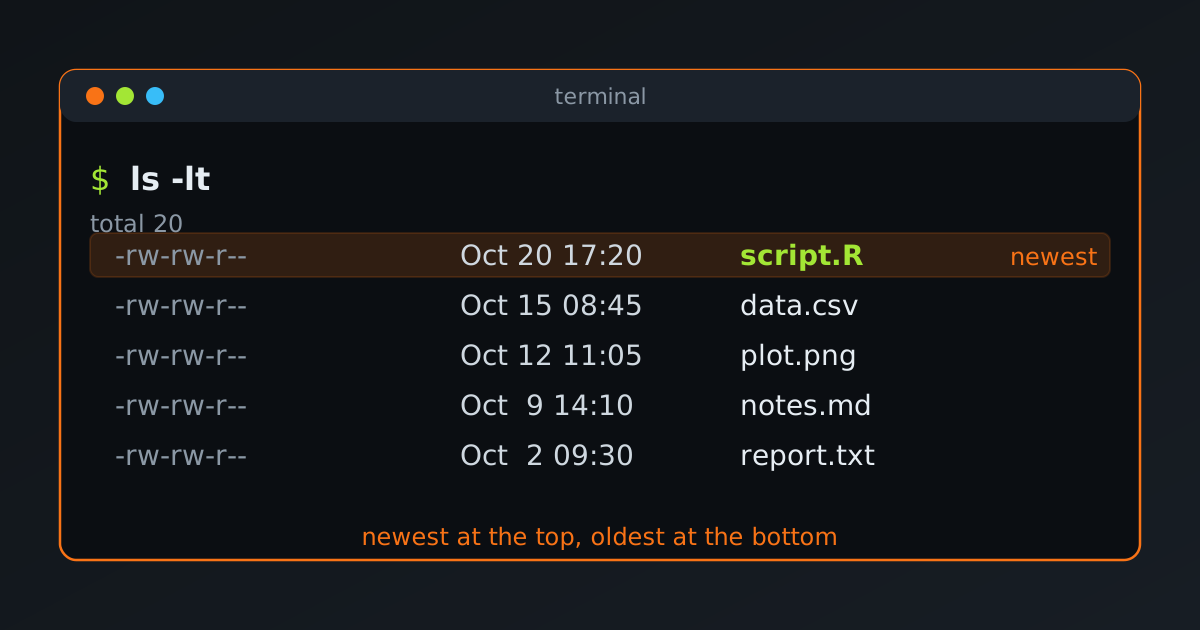
Which file did we edit last? On Linux, the ls command can sort a folder by modification time. Let’s see the options, with real output from a small example folder.
The Basic Command
ls -lt-lshows the long format: permissions, owner, size and date.-tsorts by modification time, newest first.
total 20
-rw-rw-r-- 1 abdullah abdullah 2 Oct 20 17:20 script.R
-rw-rw-r-- 1 abdullah abdullah 2 Oct 15 08:45 data.csv
-rw-rw-r-- 1 abdullah abdullah 2 Oct 12 11:05 plot.png
-rw-rw-r-- 1 abdullah abdullah 2 Oct  9 14:10 notes.md
-rw-rw-r-- 1 abdullah abdullah 2 Oct  2 09:30 report.txt
Oldest First
Add -r to reverse the order:
ls -ltrtotal 20
-rw-rw-r-- 1 abdullah abdullah 2 Oct 2 09:30 report.txt
-rw-rw-r-- 1 abdullah abdullah 2 Oct 9 14:10 notes.md
-rw-rw-r-- 1 abdullah abdullah 2 Oct 12 11:05 plot.png
-rw-rw-r-- 1 abdullah abdullah 2 Oct 15 08:45 data.csv
-rw-rw-r-- 1 abdullah abdullah 2 Oct 20 17:20 script.RThe newest file is now at the bottom, right above the prompt. This is handy in a long listing.
Only the Most Recent Files
To see just the newest few, pipe the listing to head:
ls -lt | head -n 3total 20
-rw-rw-r-- 1 abdullah abdullah 2 Oct 20 17:20 script.R
-rw-rw-r-- 1 abdullah abdullah 2 Oct 15 08:45 data.csvThe first line of ls -l is the total line, so head -n 3 shows only two files. To see the newest five files, use head -n 6. Or drop -l and list names only, with no total line:
ls -t | head -n 5A Clearer Date Format
By default ls shows the time for recent files and the year for old ones. For an unambiguous date and time, use the ISO style (GNU ls):
ls -lt --time-style=long-isototal 20
-rw-rw-r-- 1 abdullah abdullah 2 2026-10-20 17:20 script.R
-rw-rw-r-- 1 abdullah abdullah 2 2026-10-15 08:45 data.csvOther Timestamps
Every file has three timestamps. -t uses the modification time unless we ask for another one.
| Timestamp | Meaning | Sort by it |
|---|---|---|
| mtime | Last time the contents changed | ls -lt |
| ctime | Last time the file or its metadata (permissions, owner) changed | ls -ltc |
| atime | Last time the file was read | ls -ltu |
Be careful with -c and -u on their own. ls -lc only shows the ctime, but still sorts by name. We need -t as well, as in ls -ltc, to sort by that time.
For the exact timestamps of one file, use stat:
stat report.txtIs It Different in the fish Shell?
The commands are the same. The sorting options belong to ls itself, not to the shell, and pipes work the same way, so ls -lt | head -n 6 runs unchanged in fish.
The one difference is that in fish, ls is a small wrapper function that adds colours and type indicators, and then calls the real ls. We can see it with type ls. To bypass the wrapper, use command ls.
fish also makes it easy to save a shortcut. This function lists the five newest files, and funcsave stores it permanently:
function lt
    ls -lt $argv | head -n 6
end
funcsave lt
After that, lt shows the newest files in the current folder, and lt ~/Documents shows them for another folder. A shorter alternative is an abbreviation, which expands as we type:
abbr -a lt 'ls -lt'Quick Reference
| Goal | Command |
|---|---|
| Newest first | ls -lt |
| Oldest first | ls -ltr |
| Five newest files | ls -lt \| head -n 6 |
| Names of the five newest | ls -t \| head -n 5 |
| ISO dates | ls -lt --time-style=long-iso |
| Sort by change time | ls -ltc |
| Sort by access time | ls -ltu |