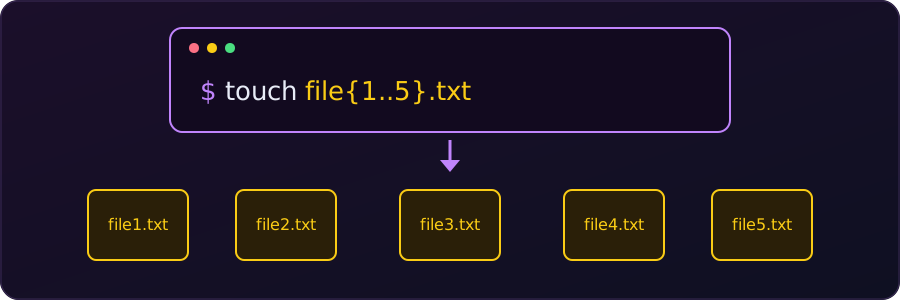
Creating files one by one in a file manager is slow. In the terminal, a single touch command can create as many as we like. It works the same way in Linux and macOS shells such as bash and zsh.
touch creates an empty file if it does not exist. If the file already exists, it only updates the modification time and leaves the contents alone.
1. Files with different names
When the names have nothing in common, we list them separated by spaces:
touch index.html styles.css script.js2. Numbered or lettered files (brace expansion)
A range inside curly braces, {start..end}, is expanded by the shell before touch runs, so one pattern becomes many names:
# file1.txt, file2.txt, ..., file5.txt
touch file{1..5}.txt

# log_A.txt, log_B.txt, ..., log_E.txt
touch log_{A..E}.txt
To pad the numbers with zeros, write the first number with the zeros:
# bspl0001.c, bspl0002.c, bspl0003.c
touch bspl{0001..0003}.c
To preview what a pattern expands to without creating anything, use echo:
echo file{1..5}.txtfile1.txt file2.txt file3.txt file4.txt file5.txt3. A chosen set of names
For specific names that share a prefix or extension, list the variations separated by commas. There must be no spaces inside the braces:
# test.js, demo.js, final.js
touch {test,demo,final}.js
4. Files inside a folder
Brace expansion also works after a path, so we can create files somewhere else without changing the current directory. The folder must already exist:
mkdir my_folder
touch my_folder/{file1.txt,file2.txt,file3.txt}
To create the folders at the same time, mkdir -p accepts braces too:
mkdir -p proj/{src,docs}
touch proj/src/{main,util}.c proj/docs/readme.md
ls -R projproj:
docs src
proj/docs:
readme.md
proj/src:
main.c util.c5. Files with some starting text
touch always makes empty files. If each file needs a line of text, a short loop does it:
for i in 1 2 3; do echo "This is note $i" > note$i.txt; doneBrace expansion is a feature of the shell, not of touch, so it works with any command (mkdir, cp, rm). The {1..5} range form needs bash or zsh: fish and a plain sh leave file{1..3}.txt unexpanded. All the examples above were run in bash.