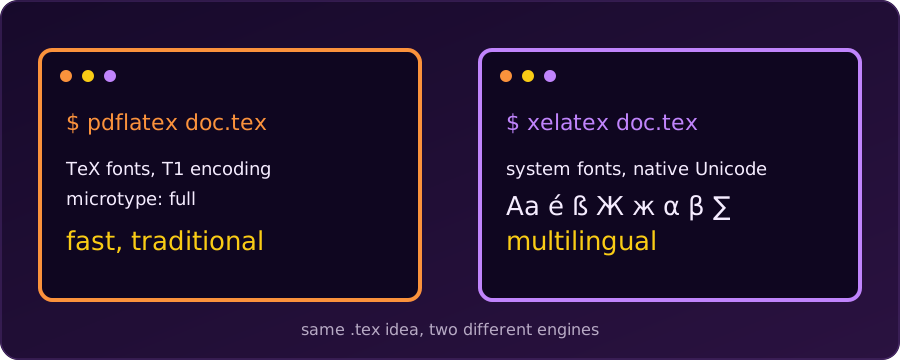
pdfLaTeX is the traditional, default LaTeX engine. It compiles quickly and works with almost every package ever written. XeLaTeX is a newer engine built for Unicode and for system fonts (TrueType and OpenType). Both produce a PDF from the same kind of .tex file, but they handle fonts and text differently, so the preamble we write has to match the engine we choose.
(A third engine, LuaLaTeX, also supports Unicode and system fonts, and lets us script the document in Lua. Everything below about XeLaTeX applies to it in broad strokes.)
The Key Differences
| Feature | pdfLaTeX | XeLaTeX |
|---|---|---|
| Default engine | Yes (historical standard) | No |
System fonts (.ttf / .otf) |
No (needs TeX-ready font packages) | Yes, through fontspec |
| Unicode text | Limited to what the font encoding covers | Native UTF-8 |
| Non-Latin scripts (Arabic, Bengali, Chinese) | Difficult; needs extra workarounds | Supported with a suitable font |
| Compile speed | Fast | Slower |
Micro-typography (microtype) |
Full support | Partial (character protrusion only) |
| Old pdfLaTeX-only packages | Work | Some fail |
Speed
XeLaTeX does extra work: it loads system fonts and shapes the text. On our machine a one-line document compiled in about 0.13 s with pdfLaTeX and about 0.7 s with XeLaTeX (TeX Live 2026). The gap is far less dramatic than the ratio sounds, and on a real thesis the time goes to packages, figures and bibliographies. Still, pdfLaTeX is the faster engine for quick edit-compile cycles.
Fonts and Unicode
pdfLaTeX works with TeX fonts and font encodings such as T1. Modern LaTeX reads UTF-8 input by default, but a character only prints if the font encoding has it. Try Bengali text with pdfLaTeX and it stops:
! LaTeX Error: Unicode character আ (U+0986)
               not set up for use with LaTeX.
XeLaTeX has no such limit. With fontspec we name any installed font, and the same text compiles:
\documentclass{article}
\usepackage{fontspec}
\setmainfont{Noto Serif Bengali}

\begin{document}
আমার দেশ বাংলাদেশ
\end{document}
Typography and Compatibility
microtype makes subtle spacing and margin adjustments that improve the look of a page. It gives its full effect in pdfLaTeX; with XeLaTeX only part of it is available. pdfLaTeX also has the longest track record with journals and publishers, so for an academic submission we should check the journal’s instructions, because many still ask for pdfLaTeX.
Which One Should We Choose?
- Choose pdfLaTeX for a standard paper, report or thesis in a Latin script, when we want speed and maximum package compatibility.
- Choose XeLaTeX (or LuaLaTeX) when we need an operating-system font such as Times New Roman or a designer font, or when we write in a non-Latin script or mix several languages.
1. Compiling from the Terminal
Use the executable that matches the engine:
pdflatex document.texxelatex document.texpdfLaTeX reads the source, uses TeX fonts and writes the PDF directly. XeLaTeX reads the source, fetches fonts through the operating system, produces an intermediate .xdv file, and passes it to a driver (xdvipdfmx) that writes the final PDF. We don’t see the second step; it happens inside the single xelatex command.
2. Switching the Engine in an Editor
In an editor we change the engine in the settings instead of on the command line.
Overleaf
- Click the Menu button at the top left.
- Under Compiler, change the dropdown from pdfLaTeX to XeLaTeX.
- Click Recompile.
TeXstudio
- Go to Options → Configure TeXstudio.
- Open the Build tab.
- Set Default Compiler to PdfLaTeX or XeLaTeX.
3. The Preamble Each Engine Needs
The preamble (the setup code above \begin{document}) must match the engine.
pdfLaTeX
\documentclass{article}

% Rendering options for pdfLaTeX
\usepackage[utf8]{inputenc} % Allows typing Unicode characters directly
\usepackage[T1]{fontenc}    % 8-bit font encoding: better hyphenation and copy-paste
\usepackage{lmodern}        % Latin Modern, a scalable vector font
\usepackage{microtype}      % Subtle spacing and margin adjustments

\begin{document}
Hello World! This is rendered via pdfLaTeX.
\end{document}
XeLaTeX
Drop inputenc, fontenc and lmodern, and load fontspec instead:
\documentclass{article}

% Rendering options for XeLaTeX
\usepackage{fontspec}

% Use any font installed on the computer
\setmainfont{Times New Roman}
\setsansfont{Arial}
\setmonofont{Courier New}

\begin{document}
Hello World! This is rendered via XeLaTeX using system fonts.
\end{document}The fonts must be installed. \setmainfont{Times New Roman} fails on a machine without that font: fontspec Error: The font "Times New Roman" cannot be found. On Debian and Ubuntu, Times New Roman and Arial come from the ttf-mscorefonts-installer package. For documents that must compile anywhere, pick a font that ships with TeX Live, or an open font such as Noto or DejaVu.
Don’t mix the two preambles. \usepackage[utf8]{inputenc} and \usepackage[T1]{fontenc} are for pdfLaTeX; with XeLaTeX they are unnecessary; XeLaTeX warns that inputenc is “ignored with utf8 based engines”. fontspec only works with XeLaTeX and LuaLaTeX, and stops with an error under pdfLaTeX.
Summary
For plain English (or other Latin-script) documents, pdfLaTeX is quick and safe. The moment we need a specific system font or a non-Latin script, switch to XeLaTeX, change the preamble to use fontspec, and compile again.