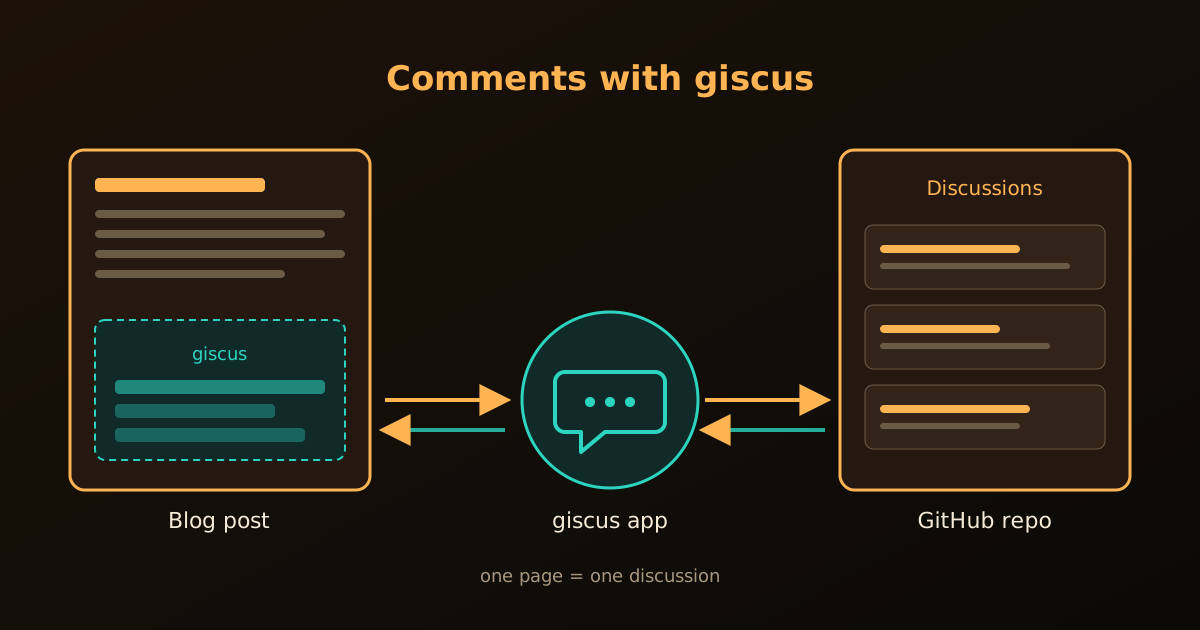
giscus is an open-source, ad-free comment system that stores every comment as a GitHub Discussion. Readers sign in with GitHub, and we get moderation, notifications and email replies without running a server. Quarto supports giscus natively, so the whole setup is a few GitHub settings plus one block of YAML.
Step 1: Prepare the GitHub repository
The comments live in a repository, so we prepare it first.
- Make the repository public. giscus does not work with a private repository.
- Enable Discussions. On the repository page, open Settings, scroll to Features and tick Discussions.
- Install the giscus app. Open the giscus app page, click Install, and give it access to the chosen repository.
- Get the IDs. On giscus.app, type
username/repo-namein the Repository box and choose a discussion Category (for exampleGeneral). Keep the page open: further down it prints a<script>block with the valuesdata-repo-idanddata-category-id. We need both in the next step.
Choose the category General (or a dedicated one) rather than Announcements. Announcements is meant for posts from maintainers, so it can limit who may start a discussion.
Step 2: Add the configuration
giscus gives us HTML, but Quarto writes the script tag for us. We only translate each data-* attribute into a YAML key: data-repo-id becomes repo-id, data-category-id becomes category-id, and so on.
The block goes under the website: key in _quarto.yml when we want comments on every page:
website:
  comments:
    giscus:
      repo: username/repo-name
      repo-id: "R_kgDOxxxxxxx"          # from giscus.app
      category: "General"
      category-id: "DIC_kwDOxxxxxxx"    # from giscus.app
      mapping: pathname                 # how a page is matched to a discussion
      reactions-enabled: true           # emoji reactions
      input-position: bottom            # comment box below the comments
      loading: lazy                     # load only when scrolled into view
The mapping option decides how a page finds its discussion. pathname and url are the common choices: each page gets one discussion, created the first time someone comments.
Changing mapping later, or moving a post to a new address, starts a new, empty discussion for it. Choose once and keep the URLs stable.
Step 3: Comments on posts only
A blog usually wants comments under the posts, but not on the About page or the homepage. For that, keep the block out of _quarto.yml and put it in posts/_metadata.yml instead. Every file in that folder inherits it.
In a _metadata.yml file the options are top-level keys, so there is no website: line:
# posts/_metadata.yml
comments:
  giscus:
    repo: username/repo-name
    repo-id: "R_kgDOxxxxxxx"
    category: "General"
    category-id: "DIC_kwDOxxxxxxx"
    mapping: url
    reactions-enabled: true
    input-position: bottom
    language: en
Then render. A single post is enough to test it:
quarto render posts/my-post.qmdPosts that were rendered earlier only get the comment box when they are rendered again, so after the first setup it is worth running a full quarto render.
Hiding comments on one page
Even inside the folder, a single page can opt out through its front matter:
---
title: "A post without comments"
comments: false
---
Theme
If the site has a light and a dark theme, we can leave theme out. Quarto then follows the reader’s choice from the theme toggle. To force one look instead, set theme: light, theme: dark or theme: preferred_color_scheme (follow the operating system) under giscus:.
Troubleshooting
- The box says “giscus is not installed on this repository”: install the app (step 1.3) for that exact repository.
- No box appears at all: check that the block sits in the right file (
website:for_quarto.yml, top level for_metadata.yml) and that the page was re-rendered. - “Discussion not found” appears and never changes: the discussion is only created when the first comment is posted, so this is normal for a new page.
Reference
- Quarto: website comments, for every option of the
commentskey. - giscus.app, for the configuration page that generates the IDs.