A common beginner question: this loop prints the numbers 0 to 19 except 10, but all stuck together. How do we get 0, 1, 2, ...?
#include <stdio.h>

int main(void) {
    for (int numb = 0; numb < 20; numb++) {
        if (numb == 10) continue;
        printf("%d", numb);
    }
    printf("\n");
    return 0;
}
Output:
0123456789111213141516171819printf("%d", numb) prints only the digits; nothing tells C to add a space. Whatever we want between the numbers, we must print ourselves. (Every program below was compiled with gcc -Wall -Wextra and run; the outputs are real.)
Step 1: Put the Comma and Space in the Format String
printf("%d, ", numb);Output:
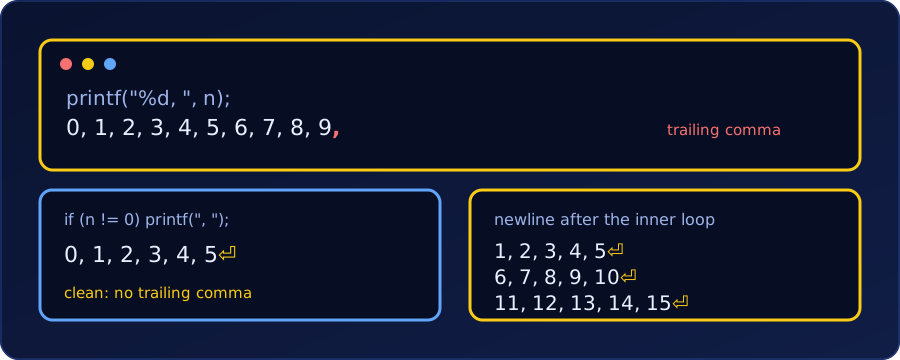
0, 1, 2, 3, 4, 5, 6, 7, 8, 9, 11, 12, 13, 14, 15, 16, 17, 18, 19, It works, but the line ends with a trailing comma and space. For quick debugging that is harmless. For output a person will read or a program will parse, we want the separator between items only.
Step 2: Remove the Trailing Comma
The idea in all three fixes is the same: print the separator before each item, except the first (or after each item, except the last).
Option 1: separator before every number except the first
for (int numb = 0; numb < 20; numb++) {
    if (numb == 10) continue;
    if (numb != 0) printf(", ");
    printf("%d", numb);
}
printf("\n");
0, 1, 2, 3, 4, 5, 6, 7, 8, 9, 11, 12, 13, 14, 15, 16, 17, 18, 19This works only because 0 happens to be the first value printed. If we started at 1, or skipped 0, the test numb != 0 would be wrong.
Option 2: a first flag (always correct)
int first = 1;
for (int numb = 0; numb < 20; numb++) {
    if (numb == 10) continue;
    if (!first) printf(", ");
    printf("%d", numb);
    first = 0;
}
printf("\n");
Same output, and it is right whatever the first printed value is or which values we skip.
Option 3: choose the separator with ?:
for (int numb = 0; numb < 20; numb++) {
    if (numb == 10) continue;
    printf("%d%s", numb, numb < 19 ? ", " : "\n");
}
The %s prints ", " after every number except the last, where it prints the newline instead. It is the shortest, but it needs to know which value is last. If we skipped 19 with continue, the previous number would be the last printed and would still get a trailing ", ". Use Option 2 when the last item can change.
Which one? Option 3 when the last item is known and fixed (a plain 0..n-1 loop), Option 2 when items are skipped or the range can change, and Step 1 when the trailing comma doesn’t matter.
Line Breaks with \n in Nested Loops
\n is the “new line” character. In a single loop we print it once, after the loop. With nested loops (one loop inside another, as in the nested for loop practice problems), the question becomes which loop prints it. The rule:
The inner loop prints one row; the
\ngoes after the inner loop, so it runs once per row.
Example 1: a grid of comma-separated numbers
for (int row = 1; row <= 3; row++) {
    for (int col = 1; col <= 5; col++) {
        if (col > 1) printf(", ");          // separator before every item but the first
        printf("%d", (row - 1) * 5 + col);
    }
    printf("\n");                           // once per row, after the inner loop
}
1, 2, 3, 4, 5
6, 7, 8, 9, 10
11, 12, 13, 14, 15The comma test (col > 1) restarts for every row, because col starts again at 1. No row ends with a comma.
Example 2: the classic mistake, \n inside the inner loop
for (int row = 1; row <= 3; row++) {
    for (int col = 1; col <= 5; col++) {
        printf("%d, ", (row - 1) * 5 + col);
        printf("\n");                       // wrong place
    }
}
1,
2,
3,
4,
5,
6,
...Now every number lands on its own line (15 lines instead of 3), because the newline runs once per cell, not once per row. Move it out of the inner loop.
Example 3: Option 3 inside a triangle
The last item of each row is the one where col == row, so the ?: trick can print the comma or the newline:
for (int row = 1; row <= 5; row++) {
    for (int col = 1; col <= row; col++) {
        printf("%d%s", col, col < row ? ", " : "\n");
    }
}
1
1, 2
1, 2, 3
1, 2, 3, 4
1, 2, 3, 4, 5There is no separate printf("\n") here: the separator choice does both jobs, comma inside a row and newline at its end.
Example 4: aligned columns
For a table, pad each number to a fixed width with %2d (the same idea as %4d in the multiplication grid problem):
for (int i = 1; i <= 4; i++) {
    for (int j = 1; j <= 4; j++) {
        printf("%2d%s", i * j, j < 4 ? ", " : "\n");
    }
}
1, 2, 3, 4
2, 4, 6, 8
3, 6, 9, 12
4, 8, 12, 16Checklist when the layout looks wrong. (1) Which loop prints the \n? It belongs after the inner loop. (2) Is the separator printed between items, not after the last? (3) Does the test for “first item” or “last item” use a variable that restarts with each row?
Summary
| Goal | Code |
|---|---|
| Numbers with separators | printf("%d, ", x); |
| No trailing comma, first item known | if (i != first) printf(", "); |
| No trailing comma, always correct | a first flag |
| Separator or newline in one call | printf("%d%s", x, last ? "\n" : ", "); |
| One row per line in nested loops | printf("\n"); after the inner loop |