Checking User Input in C: Is It Really a Number?
How to check that user input is a valid integer in C, using scanf’s return value and a stricter fgets + strtol check, with a factorial example.
By the end of this lesson you will
- Check scanf’s return value
- Validate whole-number input with fgets and strtol
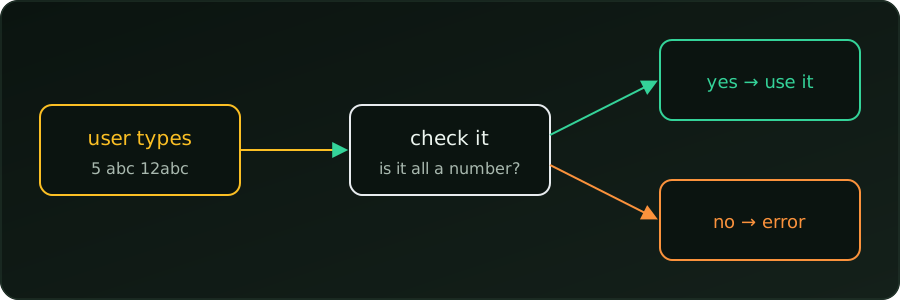
A program that asks for a number must not assume the user types one. They may type abc, -3 or nothing. C does not stop this, so we check the input ourselves.
Check scanf’s return value
scanf returns how many items it converted. For one %d, success means 1:
#include <stdio.h>

int main(void) {
    int num;
    printf("Enter a number: ");
    if (scanf("%d", &num) != 1 || num < 0) {
        printf("Please enter a non-negative integer.\n");
        return 1;
    }

    long long factorial = 1;
    for (int i = 2; i <= num; i++)
        factorial *= i;
    printf("%d! = %lld\n", num, factorial);
    return 0;
}
scanf(...) != 1catches the wrong type (abcgives0).num < 0catches a number that makes no sense for a factorial.
Enter a number: 5
5! = 120
Enter a number: abc
Please enter a non-negative integer.
The catch: partial input
scanf("%d") reads the digits it finds and stops, so it accepts bad input:
Enter a number: 12abc
12! = 479001600
Enter a number: 3.7
3! = 6
Stricter: fgets + strtol
We read the whole line as text, then convert it. strtol sets end to the first character it could not use, so *end must be the end of the line:
#include <stdio.h>
#include <stdlib.h>

int main(void) {
    char line[64];
    printf("Enter a number: ");
    if (fgets(line, sizeof line, stdin) == NULL)
        return 1;

    char *end;
    long num = strtol(line, &end, 10);

    if (end == line || (*end != '\n' && *end != '\0') || num < 0 || num > 20) {
        printf("Please enter a whole number from 0 to 20.\n");
        return 1;
    }

    long long factorial = 1;
    for (long i = 2; i <= num; i++)
        factorial *= i;
    printf("%ld! = %lld\n", num, factorial);
    return 0;
}
end == line: no digits were found (abc).*endis not the end of the line: extra characters followed the number (12abc,3.7).num > 20:21!does not fit in along long, so we reject it.
Now the earlier bad inputs are rejected:
Enter a number: 12abc
Please enter a whole number from 0 to 20.
Enter a number: 3.7
Please enter a whole number from 0 to 20.
Enter a number: 20
20! = 2432902008176640000
Summary
- Always check what
scanfreturns. scanfaccepts12abcas12; for strict checks usefgets+strtoland test*end.- Check the type first, then whether the value makes sense.
scanfreturns how many values it read; check it.- Partial input like
12abcslips past a plainscanf. fgets+strtolreports exactly where the number ends.
Buffer. A block of memory holding text before the program uses it, such as the line fgets reads.